Image creation
Vectorizer.AI
Convert PNG and JPG images into clean SVG and other vectors.
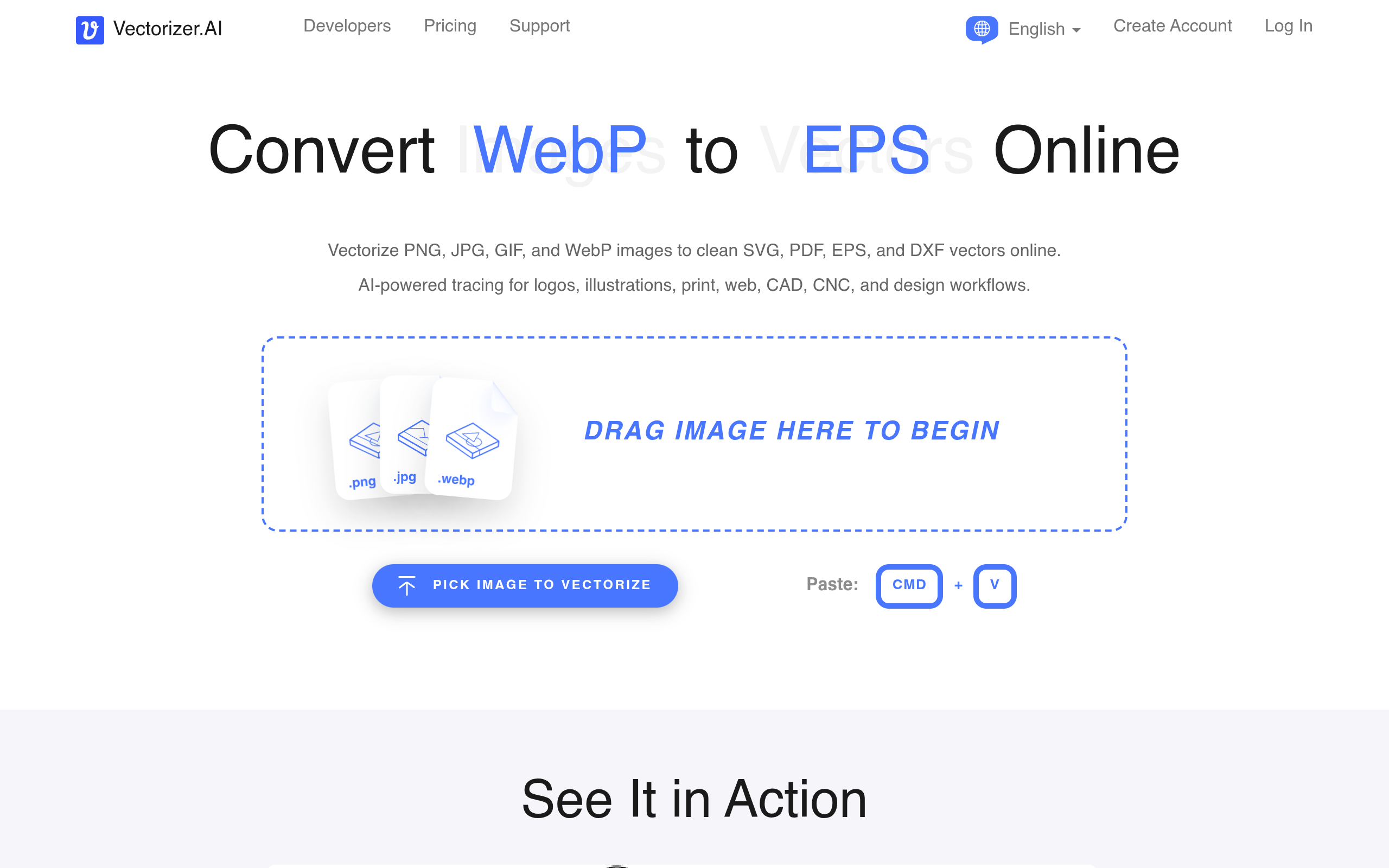
Image creation
Convert PNG and JPG images into clean SVG and other vectors.
Product insights
Accurate automatic tracing that beats manual pen-tool work.
Low-resolution logos break when printed or scaled up.
Designers, print shops, crafters, and developers via API.
Free preview; downloads require a paid subscription or API credits.
Vectorizer AI is an online tool that converts bitmap images to vector graphics. Upload a PNG or JPG and it outputs SVG, EPS, DXF, or PDF with smooth curves, ready for printing, cutting machines, or scaling.
Drop in a PNG, JPG, GIF, BMP, or WebP (up to 30MB).
Inspect the traced result for free.
Export SVG, EPS, DXF, or PDF.
Previews are free; downloading results requires a paid plan.
The site lists a 30MB file limit and processes images up to about 3 megapixels.
Official website snapshot
vectorizer.ai
Vectorizer.AI traces raster images into scalable vectors using deep-learning models that detect shapes and fit curves. It accepts PNG, JPG, GIF, BMP, and WebP, supports full color and transparency, and lets you preview the result for free before downloading.