Strata Qwen: Run the 125B Qwen3.8-Flash-Next on a 12 GB GPU
What "Strata Qwen" means, how the open-source Strata engine runs the 125-billion-parameter Qwen3.8-Flash-Next on a gaming PC, real speeds, hardware needs, setup and limits.
 viddir Team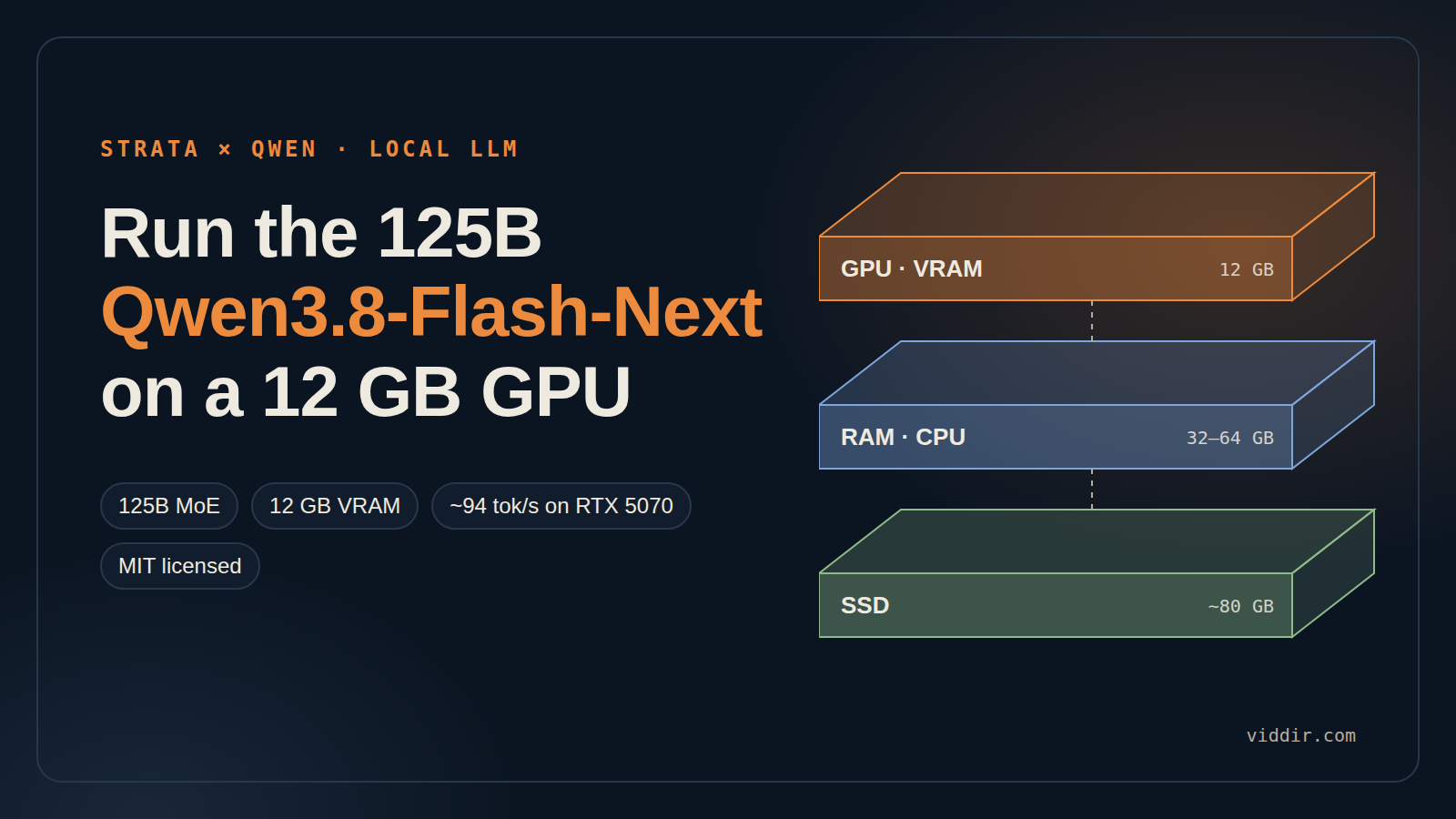
When people search for "Strata Qwen", they almost always mean one thing: Strata, a free, open-source app that runs Qwen3.8-Flash-Next, Alibaba's 125-billion-parameter mixture-of-experts model, on an ordinary gaming PC with a 12 GB graphics card. No cloud, no API bill, and an OpenAI-compatible server on localhost when it is done installing.
This guide pulls together what the project's docs, early testers and press coverage say, so you can decide whether Strata Qwen is worth the 80 GB download on your machine.
Strata Qwen in 30 seconds
- What it is: a dedicated inference engine built for one model, Qwen3.8-Flash-Next (125B MoE). It is not a general model runner like Ollama or LM Studio.
- Minimum hardware: a 12 GB NVIDIA RTX 20/30/40/50 or AMD Radeon RX 7800/7900/9060/9070 card, 32 GB of RAM (64 GB recommended) and about 80 GB of free SSD space.
- Speed: about 94 tokens/s on an RTX 5070 with the fastest pack, and testers report 75 to 130 tokens/s on bigger cards.
- Setup: one click on Windows (
START-HERE.bat) or./setup.shon Linux. A browser chat opens athttp://127.0.0.1:8080. - License: MIT. The latest release at the time of writing is v0.1.38 (October 3, 2026).
What is Strata?
Strata is a purpose-built inference engine plus installer, published on GitHub by Niko1221. Its pitch is blunt: Qwen3.8-Flash-Next on any consumer hardware. The installer detects your GPU, recommends a model pack, downloads it, and then serves three things on port 8080:
- A web chat UI with optional image input.
- An OpenAI-compatible API at
http://127.0.0.1:8080/v1. - An Anthropic-compatible API at
http://127.0.0.1:8080/v1/messages, so coding agents and MCP clients can point at it directly.
It also supports thinking modes (off, low, medium, high), long context through 8,192-token prompt batches, multi-GPU setups, and speculative decoding that the project says makes replies roughly 1.6 to 1.8 times faster without changing the output.
If you want the short catalog version, see our Strata product page.
What is Qwen3.8-Flash-Next?
Qwen3.8-Flash-Next is an open-weight model in Alibaba's Qwen family. It has 125 billion parameters, but it is a mixture-of-experts (MoE) model: its 48 layers hold 24,576 routed experts in total, and each token only activates a small handful of them. That sparsity is the whole reason a model this size can run on a gaming PC. You never need all 125B parameters in fast memory at once, only the experts the current token is routed to.
How Strata fits a 125B model on a 12 GB GPU
Strata treats your PC as three tiers of memory that work in parallel for every token:
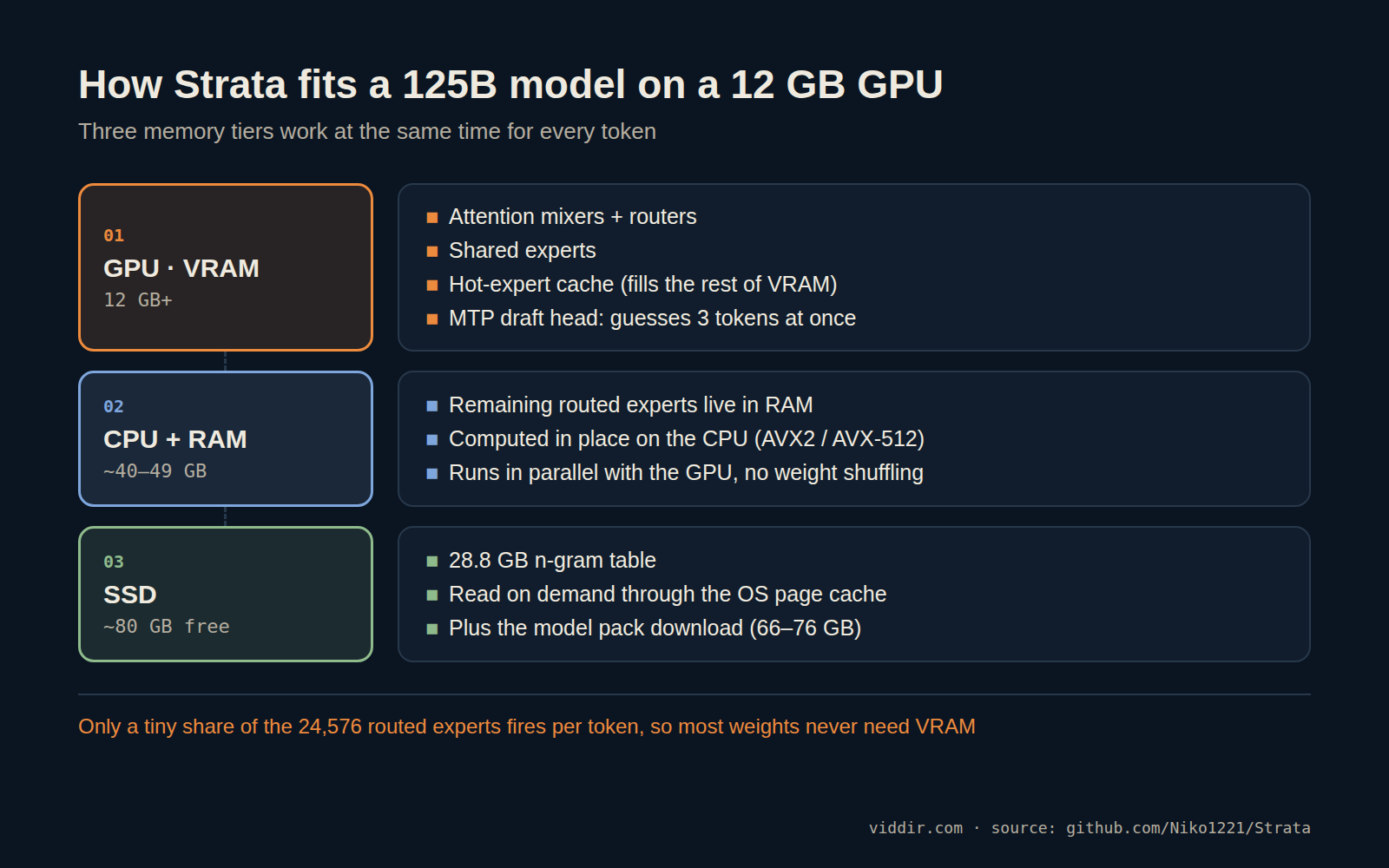
- GPU (VRAM): the attention mixers, routers and shared experts live here, and the rest of VRAM becomes a cache for the experts that get used most often.
- CPU + RAM: the remaining routed experts stay in system RAM and are computed in place on the CPU with AVX2 or AVX-512 kernels, at the same time as the GPU works on its cached experts. Weights are not shuffled back and forth over PCIe for every token.
- SSD: a 28.8 GB n-gram table is read on demand through the operating system's page cache.
On top of that, the model's multi-token-prediction (MTP) layer drafts up to 3 tokens ahead, and one pass through all 48 layers checks them. On average Strata accepts 2.4 to 3.2 tokens per pass, which is where the "guess and check" speed-up comes from.
The practical takeaway: system RAM is not overflow, it is part of the engine. That is why RAM matters as much as your graphics card.
Hardware requirements
| Part | Minimum | Recommended |
|---|---|---|
| GPU | 12 GB VRAM: NVIDIA RTX 20/30/40/50 or AMD RX 7800/7900/9060/9070 | More VRAM means a bigger expert cache |
| System RAM | 32 GB (Coder pack only) | 64 GB, fits every pack |
| CPU | x86-64 with AVX2 | AVX-512 (e.g. Ryzen 7000/9000) is slightly faster |
| Storage | ~80 GB free | NVMe SSD |
| OS | Windows 10/11 or Linux with current drivers |
Recent releases also improved VRAM handling for smaller cards, and the v0.1.38 notes mention support down to 6 GB, but expect a clear slowdown below 12 GB.
How fast is Strata Qwen?
The project's own benchmark on an RTX 5070 (12 GB), at 4K context with 256 generated tokens:
| Pack | Prompt processing | Generation |
|---|---|---|
| Q2_0 | 539 tok/s | 94.6 tok/s |
| IQ2_XS | 463 tok/s | 78.0 tok/s |
| IQ3_XXS | 410 tok/s | 65.6 tok/s |
Longer contexts cost some speed: at 262K context the Q2_0 pack still generates about 56 tokens/s. Other numbers reported so far:
- RX 9070 XT (16 GB): about 60 tok/s with Q2_0 and 44 tok/s with the Coder pack, per the README.
- Radeon RX 7900 XTX: up to about 120 tok/s on easy prompts and around 75 tok/s across a realistic mix, per LinuxCompatible's v0.1.38 write-up.
- RTX 5090 on a PCIe x4 link with 128 GB RAM: 114 to 133 tok/s for code generation in a two-day hands-on log on note.com, using about 31 GB of VRAM and 56 GB of RAM.
For a local 125B model, those are remarkable numbers. Most people running models this large on consumer hardware are used to single-digit speeds.
Which model pack should you pick?
| Pack | Download | RAM used | Trade-off |
|---|---|---|---|
| Q2_0 | 66 GB | ~40 GB | Fastest, good quality |
| IQ2_XS | 68 GB | ~42 GB | Close to Q2_0 speed, better quality |
| IQ3_XXS | 76 GB | ~49 GB | Best quality, slower (more CPU work) |
| Coder | - | Fits 32 GB | Tuned for code, about 91% of the full model |
All three general packs fit in 64 GB of RAM; only Q2_0 and IQ2_XS fit in 48 GB. If you have 32 GB, the Coder pack is your option. There is also a "Swift 1.5" fine-tune aimed at shorter reasoning chains.
A note on quality. These are 2- and 3-bit quantizations, so there is a gap to the official full-precision model, and the Strata team says so openly. In practice the gap is smaller than you might fear: the note.com tester scored 90.0% on a 60-question coding set, and 96.7% once they raised the reasoning limit from 16,384 to 32,768 tokens. If you see empty answers on hard prompts, give the model more thinking budget before blaming the quantization.
How to install Strata Qwen
- Download or clone github.com/Niko1221/Strata.
- Windows: double-click
START-HERE.bat. Linux: run./setup.shin the Strata folder. - Accept the recommended pack (about 70 GB to download).
- Wait while the model loads into RAM. Your PC may freeze for 1 to 3 minutes the first time; that is expected.
- The browser opens at
http://127.0.0.1:8080. Start chatting.
To update later, re-run setup.sh (or the Windows starter). A plain git pull does not rebuild the engine, which is an easy way to miss performance releases. If port 8080 is already taken by another service, change Strata's port.
Use Strata Qwen as a local API
Any tool that speaks the OpenAI API can use Strata by changing the base URL:
curl http://127.0.0.1:8080/v1/chat/completions \
  -H "Content-Type: application/json" \
  -d '{
    "model": "qwen3.8-flash-next",
    "messages": [{"role": "user", "content": "Explain mixture-of-experts in two sentences."}]
  }'
Coding agents that expect the Anthropic Messages API can point at http://127.0.0.1:8080/v1/messages instead, and Strata can also run as an MCP server for AI coding assistants. Check the README for the exact model name your install exposes.
Limitations to know before you download
- One model only. Strata is fast because it is specialized. It cannot run Llama, DeepSeek or other Qwen sizes.
- One request at a time. It is a personal engine, not a multi-user server.
- Greedy decoding. The temperature setting is ignored.
- No conversation cache yet. Each request reprocesses the whole prompt, so long chats get a longer time to first token.
- Image input currently works on AMD under Linux only.
"Strata Qwen" also shows up in other places
If you landed here from a search, two unrelated projects share the name:
- Strata (arXiv 2508.18572) is a research paper on hierarchical context caching for long-context LLM serving. It is about data-center serving, not running Qwen at home.
- strata-qwen2.5-1.5b checkpoints on Hugging Face are small research models trained for agent benchmarks such as ALFWorld. They are not related to the Strata app.
FAQ
Is Strata Qwen free?
Yes. Strata is MIT-licensed and the model packs are free to download. Your only costs are hardware and electricity.
Can Strata run on a laptop?
If the laptop has a 12 GB NVIDIA or supported AMD GPU and at least 32 GB of RAM, yes. Most thin laptops do not meet the RAM requirement.
Does it work offline?
After the one-time download, yes. Everything runs on 127.0.0.1.
Strata vs Ollama or LM Studio?
Ollama and LM Studio run many models with one generic runtime. Strata runs one model with a runtime tuned to its architecture, which is how it gets a 125B model to these speeds on a 12 GB card. Use both: a general runner for small models, Strata when you want Qwen3.8-Flash-Next.
Bottom line
Strata Qwen is the most practical way right now to run a frontier-sized open model on a gaming PC. If you have a 12 GB GPU and 64 GB of RAM, it is worth the download. Start with the IQ2_XS pack for the best balance, give it a generous reasoning budget, and point your coding tools at the local API.
Find Strata alongside other local AI tools in our Strata listing or browse the full AI tools directory.
Sources: Strata README, Strata technical details, LinuxCompatible on v0.1.38, zephel01's hands-on log.